Download from rcycle.app
Use the official Windows installer from the downloads section. Confirm the URL begins with https://rcycle.app/downloads/ before opening it.
RCycle is a free passion project. For now, I am avoiding paid code-signing certificates, app-store distribution fees, and notarization costs while I learn whether the project is useful to riders. That choice keeps the project lightweight, but it also means Windows and macOS may warn you before running it.
Your download should start momentarily. While it finishes, the following are the install instructions.
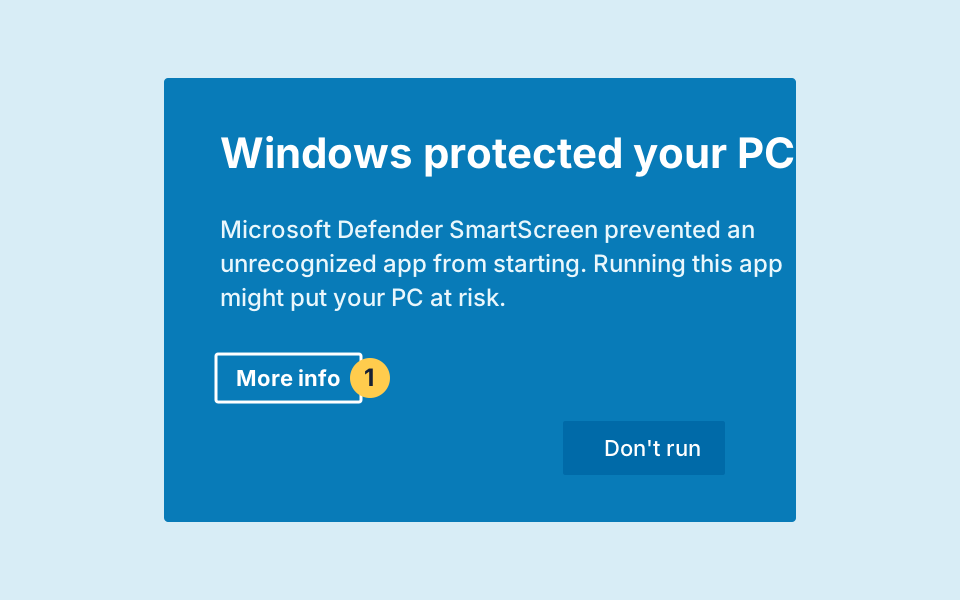
Windows may show Microsoft Defender SmartScreen because the installer is not signed and has not built up download reputation.
Use the official Windows installer from the downloads section. Confirm the URL begins with https://rcycle.app/downloads/ before opening it.
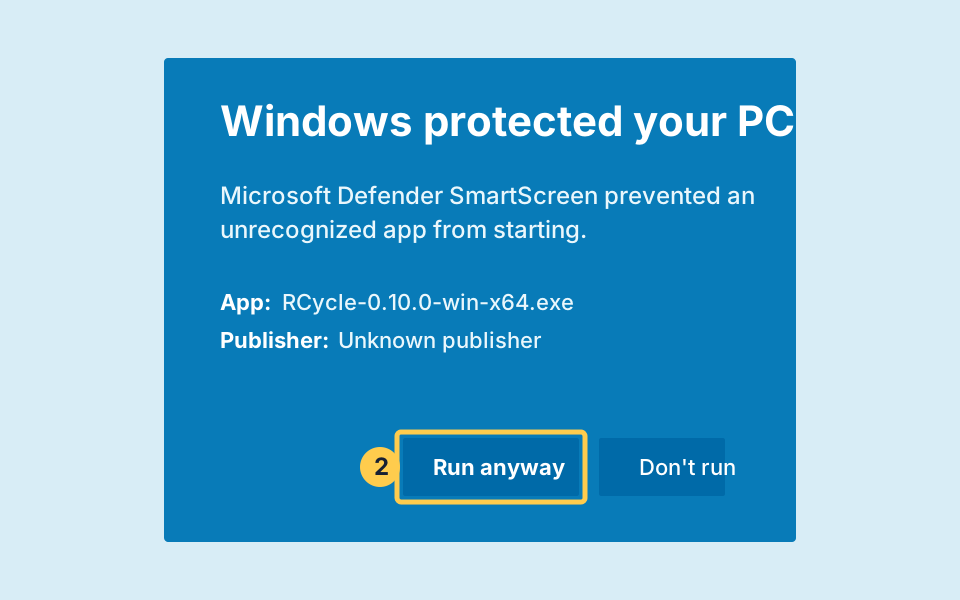
If the blue Windows protected your PC dialog appears, choose More info. Confirm the app name is the RCycle installer you downloaded, then choose Run anyway. Continue through the normal installer prompts.
macOS may block the first launch because the ZIP is distributed outside the Mac App Store and is not notarized by Apple. The approval is normally needed once per downloaded app build.
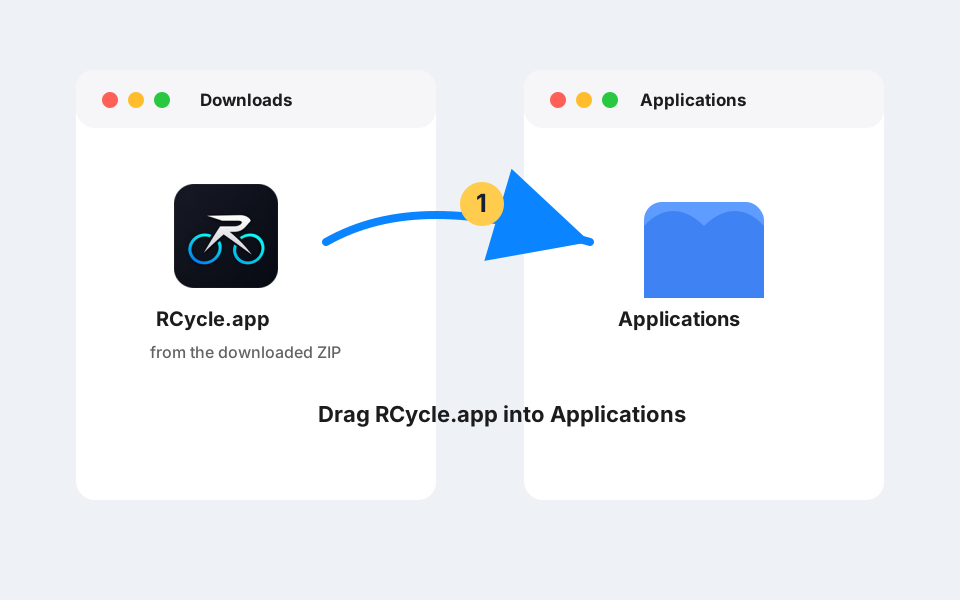
Download the Apple Silicon or Intel ZIP from rcycle.app. Open the ZIP file. If it contains RCycle.app, drag that app into your Applications folder.
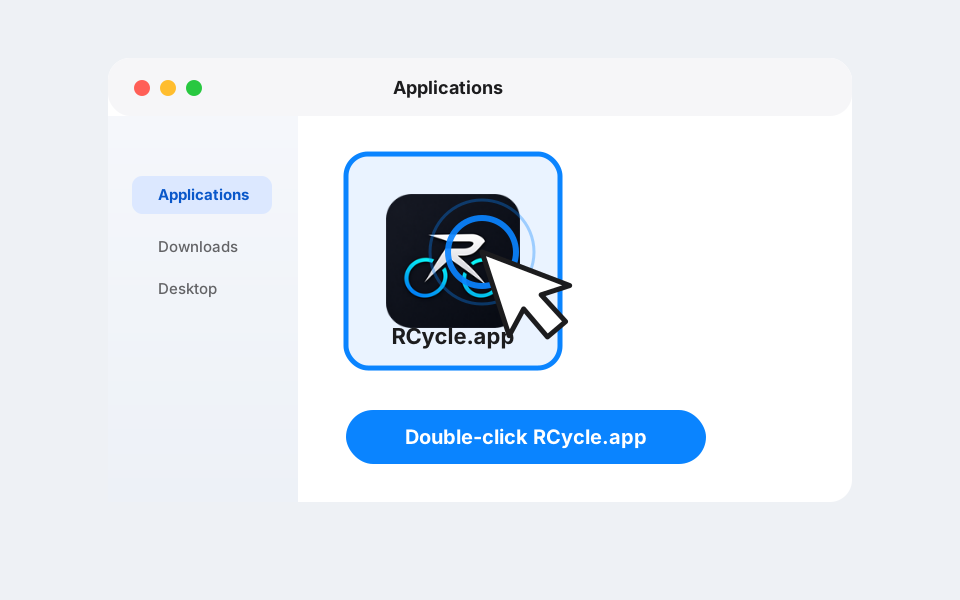
In Finder, hold Control and click RCycle.app, or right-click it if you have secondary click enabled. Choose Open from the shortcut menu. A two-finger click on a trackpad usually works as right-click too.
A similar warning dialog will appear, but this time it should include an Open button. Choose Open. RCycle is then saved as an exception on your Mac, and future launches of that same app should work like any other app. If you replace it with a newly downloaded build, macOS may ask again.
You should not disable Gatekeeper globally. The safer path is to approve only this app after checking that it came from the official RCycle download page.
SmartScreen uses publisher and file reputation. New unsigned files are more likely to show the strongest warning because Windows has no known publisher and no download history for that exact build.
Gatekeeper prefers apps from the Mac App Store or apps signed and notarized through Apple. RCycle's current ZIP builds are outside that flow.